
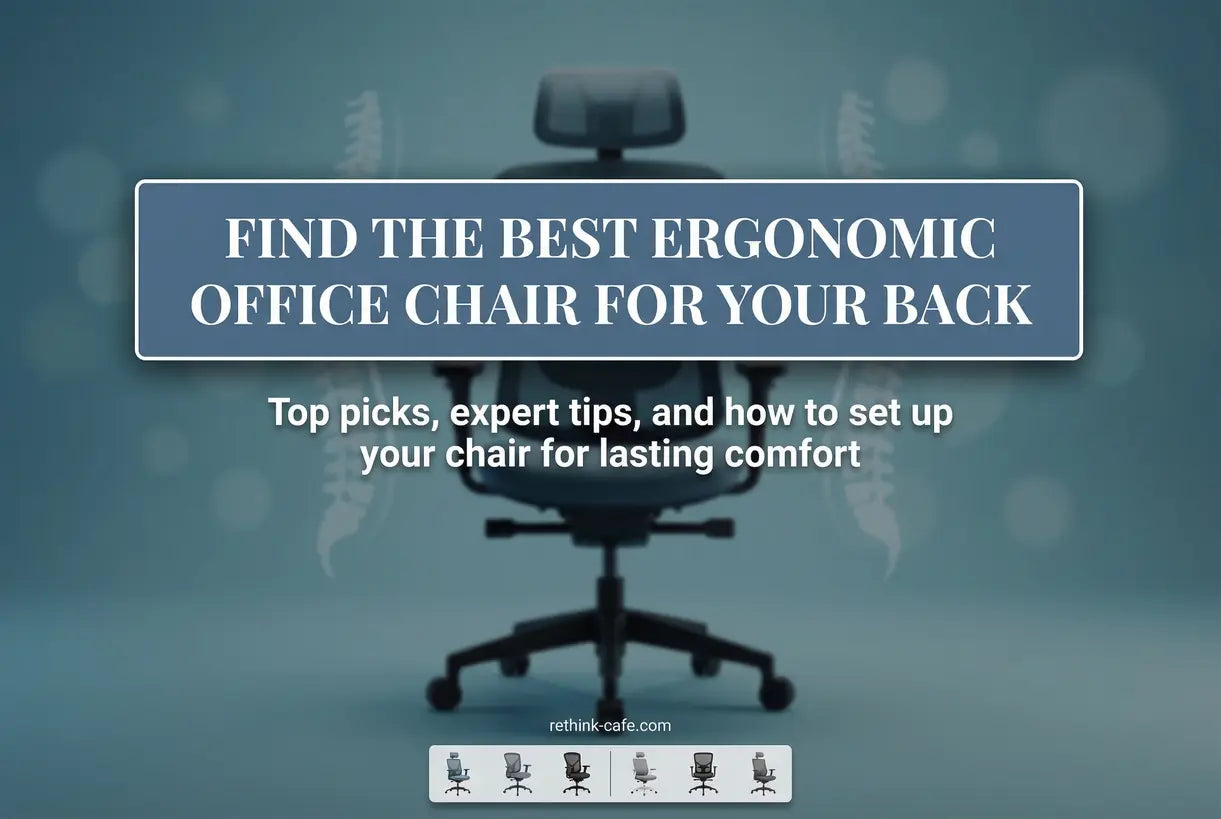
Spending eight hours or more at a desk shouldn't mean sacrificing your spinal health. If you're experiencing persistent lower back pain, stiffness, or discomfort after a workday, your chair is likely the culprit. Finding the best ergonomic office chairs for back pain isn't just about comfort—it's about preventing long-term musculoskeletal damage and maintaining productivity.
Whether you're working from a home office or upgrading your corporate workspace, understanding what makes a chair truly ergonomic can transform your daily experience. In this comprehensive guide, we'll explore the science behind lumbar support, break down essential adjustment features, and reveal how to choose a chair that actually relieves pain rather than masking it.
Why Ergonomic Design Matters for Spinal Health
Standard office chairs often force your spine into unnatural positions, flattening the natural lumbar curve and placing excessive pressure on intervertebral discs. Over time, this leads to chronic pain, reduced mobility, and even herniated discs. Ergonomic chairs are engineered to maintain your spine's natural S-curve, distributing weight evenly and reducing compression on sensitive nerves.
Research indicates that proper lumbar support can reduce lower back pain by up to 60% in office workers. The key lies in dynamic support systems that move with your body rather than rigid structures that force a single posture. When evaluating chairs, look for adjustable lumbar mechanisms that allow you to position support precisely where your spine needs it most.

Essential Features to Look for in an Ergonomic Office Chair
When shopping for the best ergonomic office chair for lower back pain, several non-negotiable features separate therapeutic seating from standard desk chairs. Understanding these elements helps you make an informed investment in your health.
Adjustable Lumbar Support
The lumbar region requires firm yet flexible support that maintains the natural inward curve of your lower spine. Look for chairs with height-adjustable lumbar pads that can be raised or lowered to match your specific spinal curvature. Some advanced models offer depth adjustment, allowing you to control how aggressively the support pushes against your back.
Seat Depth and Width
Proper seat depth ensures you can sit with your back against the lumbar support while maintaining 2-3 inches of clearance between the seat edge and your knees. This prevents pressure on the back of your thighs that can restrict circulation. Adjustable seat depth mechanisms allow taller users to slide the seat pan forward for optimal thigh support.
Armrest Adjustability
4D armrests that adjust in height, width, depth, and angle help reduce shoulder strain by supporting your forearms while typing. When your arms are properly supported, your shoulders remain relaxed rather than hunched, reducing tension that often radiates down to the lower back.
Recline and Tilt Mechanisms
Dynamic recline features allow the chair to move with your body as you shift positions throughout the day. Look for synchronized tilt mechanisms that recline the backrest while raising the seat slightly, maintaining proper spinal alignment in various positions. Tilt tension controls let you adjust resistance based on your body weight and preferred movement freedom.
Mesh vs. Leather: Which Material Is Better for Long Hours?
One of the most common questions when selecting an ergonomic chair for long hours at a desk involves upholstery choice. Both mesh and leather offer distinct advantages for back pain sufferers, and your decision should reflect your work environment and personal comfort preferences.
Mesh Chairs: Breathability and Flexibility
Mesh backrests conform to your spine's natural curves while providing exceptional airflow. This breathability prevents heat buildup during extended sitting sessions, reducing sweat and discomfort that can cause you to shift into poor postures. High-quality mesh distributes weight evenly across the backrest, eliminating pressure points that can aggravate existing back conditions.
However, not all mesh is created equal. Cheap mesh can sag over time, losing its supportive properties. Look for high-tensile mesh with reinforced edges that maintains tension after years of use. The ErgoFlex Pro exemplifies premium mesh construction designed for durability.
Leather and Faux Leather: Cushioning and Support
Leather chairs offer plush cushioning that cradles the body, making them ideal for users who prefer a more traditional, enveloping feel. High-density foam padding in quality leather chairs provides consistent support that doesn't bottom out during long meetings or focused work sessions. Leather also adds a professional aesthetic that elevates executive offices and conference rooms.
The downside involves heat retention and maintenance. Leather can become sticky and uncomfortable in warm environments, potentially causing you to shift positions frequently. Genuine leather requires conditioning to prevent cracking, while faux leather may peel over time. For users prioritizing cushioning over breathability, the Lumina Executive offers premium leather construction with ergonomic adjustments.

How to Adjust Your Ergonomic Chair for Proper Posture
Purchasing a high-quality ergonomic chair represents only half the battle; proper adjustment transforms potential comfort into actual spinal relief. Learning how to adjust an ergonomic chair for proper posture ensures you're utilizing all the engineering features designed to alleviate back pain.
Step-by-Step Adjustment Protocol
Begin by standing in front of your chair and adjusting the seat height so the top of the seat pan sits just below your kneecap. When seated, your feet should rest flat on the floor with your knees bent at approximately 90 degrees. If your feet dangle, use a footrest to maintain proper leg support rather than lowering the chair to the point where your arms angle upward to reach the desk.
Next, adjust the seat depth by sliding the seat pan forward or backward until you can fit 2-3 fingers between the back of your knees and the seat edge. This prevents pressure on the popliteal artery and reduces leg fatigue. For the lumbar support, position the support pad so it fills the natural curve of your lower back, typically aligning with your belt line. The support should feel firm but not push you forward away from the backrest.
Fine-Tuning Armrests and Recline
Position your armrests so they support your forearms while keeping your shoulders relaxed and level. Your elbows should rest at approximately 90 degrees when typing, with your wrists remaining straight rather than bent upward or downward. If your chair features 4D armrests, adjust the width so the armrests sit directly under your elbows without forcing you to splay your arms outward or tuck them inward.
For the recline mechanism, set the tilt tension to match your body weight so the chair supports you while allowing natural movement. A good starting position involves reclining the backrest to 100-110 degrees, which reduces pressure on your intervertebral discs compared to sitting upright at 90 degrees. Use the tilt lock feature when you need stable support for focused tasks, and unlock it during phone calls or reading to encourage dynamic movement.

Top Ergonomic Chair Recommendations for Back Pain Relief
After analyzing adjustment capabilities, material quality, and lumbar support systems, we've identified three standout options that address different needs and budgets. Each chair offers specific advantages for back pain sufferers, from advanced adjustability to budget-conscious support.

The ErgoFlex Pro stands out for users requiring intensive support during marathon work sessions. The multi-zone lumbar system adapts to your specific curvature, while the 4D armrests eliminate shoulder strain that often radiates down the spine. The breathable mesh construction prevents the heat buildup that causes fidgeting and postural shifts.
Alternative Seating Solutions
For budget-conscious buyers, the PostureMate Comfort delivers essential ergonomic benefits without premium pricing. The contoured mesh back promotes airflow while providing consistent lumbar support, and the synchronized tilt encourages natural movement patterns that prevent static loading on your spine.
Executive environments demand both aesthetic sophistication and therapeutic support. The Lumina Executive combines plush cushioning with clinical-grade adjustability. The extended seat depth adjustment accommodates taller users who often struggle with standard sizing, while the reinforced base ensures stability during recline functions.
Ergonomic Chairs vs. Task Chairs: Understanding the Difference
Many consumers confuse standard task chairs with true ergonomic seating, leading to disappointment when basic models fail to relieve pain. Task chairs typically offer limited adjustments—usually just seat height and perhaps armrest height—designed for short-term seating in conference rooms or temporary workstations.
Ergonomic chairs, conversely, feature multi-dimensional adjustability engineered for sustained use. These chairs accommodate your unique anthropometrics—torso length, thigh circumference, and spinal curvature—to maintain neutral posture throughout the workday. While task chairs might suffice for occasional use, chronic back pain demands the comprehensive support only true ergonomic seating provides.
Key Insight: An ergonomic chair is only effective if properly adjusted to your body. Even the most expensive model won't relieve pain if the lumbar support sits too high or the seat depth is incorrect.
Can Ergonomic Chairs Help with Sciatica and Chronic Pain?
Sciatica sufferers face unique challenges since sitting often compresses the sciatic nerve, causing radiating pain down the legs. Ergonomic chairs can significantly help with sciatica when they feature waterfall seat edges that reduce pressure on the back of thighs and adjustable seat angles that open hip flexors.
The recline function proves particularly beneficial for sciatica patients. By reclining to 110-120 degrees while maintaining lumbar contact, you shift weight from your lower back to the chair's backrest, decompressing the lumbar discs and reducing nerve impingement. Look for chairs with independent back angle adjustment rather than fixed ratios that lock your spine into specific positions.
For general chronic pain management, ergonomic chairs reduce the static loading that exacerbates muscle tension and joint inflammation. Dynamic seating—chairs that encourage micro-movements through responsive tilt mechanisms—prevents the stiffness that accumulates when sitting perfectly still. The ErgoFlex Pro specifically addresses these concerns with its tension-responsive tilt system.
Investment Value: Are Expensive Ergonomic Chairs Worth It?
Quality ergonomic chairs range from $200 to over $1,500, leaving many consumers wondering whether premium models justify their price tags. When evaluating whether expensive ergonomic chairs are worth it, consider the cost-per-use calculation versus potential medical expenses.
A $800 chair used 250 days per year for five years costs approximately $0.64 per day. Compare that to a single physical therapy session ($100-$300) or chiropractic adjustment ($60-$200). If a quality chair prevents even one month of back pain treatment, it has paid for itself. Furthermore, premium chairs typically last 10-15 years with replaceable parts, while budget options often fail within 2-3 years, creating a false economy.
That said, mid-range options like the PostureMate Comfort deliver 80% of premium functionality at 40% of the cost. The key is identifying which features directly address your specific pain points rather than paying for unnecessary bells and whistles.
Setting Up Your Chair for Optimal Desk Height
Even with perfect chair adjustment, improper desk height creates compensatory postures that undermine ergonomic benefits. When determining how high your chair should be for desk work, follow the elbow-height rule: your forearms should rest parallel to the floor when your shoulders are relaxed.
If your desk is too high, you'll elevate your shoulders to reach the keyboard, creating tension in your trapezius muscles that radiates down your spine. If too low, you'll hunch forward, rounding your shoulders and compressing your lumbar discs. Standard desk height (29-30 inches) suits users approximately 5'10" to 6'0". Shorter users may need keyboard trays or desk risers, while taller individuals require height-adjustable desks or drafting chairs.
Remember that your chair height and desk height work as a system. Adjust your chair first to support your spine, then modify your desk or add accessories to bring your work surface to you. Never compromise spinal alignment to accommodate a fixed desk height.
Conclusion: Investing in Your Spinal Health
Selecting the best ergonomic office chair for back pain relief requires understanding your body's unique needs and the features that address them. From adjustable lumbar support that maintains your natural spinal curve to seat depth adjustments that prevent thigh pressure, the right chair transforms your workday from a source of pain into a comfortable, productive experience.
Remember that even the most advanced ergonomic chair requires proper adjustment and movement. Alternate between sitting and standing when possible, take micro-breaks to stretch, and ensure your entire workstation—from desk height to monitor position—supports neutral posture. Your back will thank you not just for the chair you choose, but for how you use it.
Ready to transform your workspace into a pain-free zone? Explore our curated collection of ergonomic seating solutions designed specifically for back pain relief. From the advanced adjustability of the ErgoFlex Pro to the executive comfort of the Lumina Executive, we have the perfect solution for your specific needs and budget. Don't let another day of pain go by—invest in your health today.
Frequently Asked Questions about Ergonomic Office Chairs for Back Pain
The best ergonomic office chair for lower back pain features adjustable lumbar support that maintains your spine's natural curve, seat depth adjustment to prevent thigh pressure, and a recline mechanism that decompresses lumbar discs. Look for chairs with multi-zone lumbar systems like the ErgoFlex Pro, which allow precise positioning of support exactly where your spine needs it most.
Quality ergonomic chairs should last 10-15 years with proper care. Premium models feature replaceable parts—casters, gas cylinders, armrest pads, and even seat cushions—that extend lifespan indefinitely. Budget chairs typically last 2-5 years before foam compresses or mechanisms fail. When calculating value, consider that a $800 chair used over 10 years costs approximately $0.22 per day—far less than a single physical therapy session.
Expensive ergonomic chairs are worth the investment if you experience chronic back pain or sit for more than six hours daily. Premium models offer advanced adjustability—4D armrests, multi-zone lumbar support, and seat depth adjustment—that budget chairs lack. They also use higher-quality materials that maintain support for 10+ years. However, mid-range options around $300-500 often provide 80% of premium functionality. The key is identifying which specific features address your pain points rather than paying for unnecessary extras.
Essential features for an ergonomic office chair include: (1) Adjustable lumbar support that moves up/down to fit your spine's curve; (2) Seat depth adjustment to prevent thigh pressure; (3) 4D armrests (height, width, depth, angle) to reduce shoulder strain; (4) Synchronized tilt mechanism that reclines the backrest while adjusting seat angle; (5) Quality casters appropriate for your flooring; and (6) Breathable, durable upholstery. Prioritize lumbar adjustability and seat depth—these features most directly impact spinal health.
Yes, ergonomic chairs can significantly help with sciatica by reducing pressure on the sciatic nerve. Key features that benefit sciatica sufferers include: waterfall seat edges that minimize pressure on the back of thighs where the sciatic nerve runs; seat angle adjustment that opens hip flexors and reduces nerve compression; and recline functions that shift weight from the lumbar region to the chair backrest. Reclining to 110-120 degrees while maintaining lumbar support decompresses the lower spine, creating space between vertebrae where nerve impingement often occurs.
To adjust an ergonomic chair for proper posture: (1) Set seat height so feet rest flat on the floor with knees at 90 degrees; (2) Adjust seat depth to maintain 2-3 finger-widths clearance between seat edge and back of knees; (3) Position lumbar support to align with your natural lower back curve (usually at belt line); (4) Set armrests so shoulders remain relaxed with elbows at 90 degrees when typing; (5) Adjust recline tension to support your weight while allowing movement; and (6) Lock or unlock tilt based on task—locked for focused work, unlocked for calls and reading.
Ergonomic chairs and task chairs serve different purposes and offer distinct levels of support. Task chairs are basic seating designed for short-term use (1-3 hours) with minimal adjustments—typically just seat height and possibly armrest height. They're economical and space-efficient but lack the lumbar support and adjustability needed for all-day comfort. Ergonomic chairs feature comprehensive adjustability including lumbar support positioning, seat depth, 4D armrests, and synchronized tilt mechanisms specifically engineered to maintain neutral posture during extended sitting. For back pain sufferers working 6+ hours daily, ergonomic chairs are essential medical equipment, not luxury items.
Mesh chairs generally outperform leather for long hours (6+ hours) due to superior breathability and temperature regulation. The open weave structure allows air circulation that prevents heat buildup and sweat accumulation, which often causes users to shift into poor postures. High-quality mesh also provides flexible, adaptive support that conforms to your spine's movements rather than forcing a rigid position. However, leather offers superior cushioning and a luxurious feel that many prefer for shorter sessions or cooler environments. Leather also tends to last longer aesthetically and cleans easily, though it requires conditioning to prevent cracking. For all-day back pain relief in warm offices, mesh typically wins; for executive settings with moderate use, leather remains viable.
For optimal desk work, position your chair height so your feet rest flat on the floor with your knees bent at approximately 90 degrees (hips and knees at equal height). Your forearms should rest parallel to the floor when your shoulders are relaxed, with your elbows forming roughly 90-degree angles. This typically means the seat pan sits 16-21 inches from the floor for most adults, though exact height varies by leg length and desk height. If your feet don't reach the floor at the proper arm height, use a footrest rather than lowering the chair. If your desk is too high for proper arm positioning, consider a keyboard tray that brings your input devices to the correct level. Remember: chair height affects your entire kinetic chain from feet to neck, so take time to find your precise neutral position.
Yes, ergonomic chairs significantly improve productivity by reducing physical discomfort that distracts from cognitive tasks. Research indicates that workers in properly adjusted ergonomic chairs report 17.5% higher productivity rates compared to those in standard office seating. The mechanism is straightforward: when your body isn't fighting pain, stiffness, or poor circulation, your brain can allocate full resources to work tasks rather than processing discomfort signals. Ergonomic chairs also reduce micro-breaks taken to stretch or adjust position, saving approximately 45 minutes per day in recovered work time. Additionally, proper support reduces afternoon fatigue by maintaining optimal blood flow and preventing the energy drain associated with supporting poor posture. For employers, ergonomic seating represents one of the highest-ROI workplace investments, typically paying for itself within 3-6 months through reduced absenteeism and increased output. For home office workers, the productivity gains translate to shorter workdays or higher output, improving work-life balance while protecting long-term spinal health.